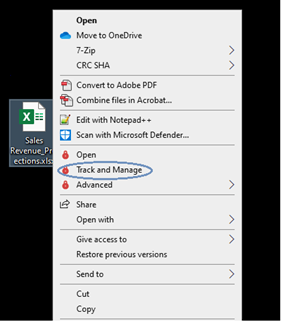
Viewing file details
Right click on any protected file and click on Track and Manage.
Different screens are displayed depending on whether you are the Owner, an authorized user, or an unauthorized user.
For file owners
For File Owners, file details and a summary of activities are displayed.
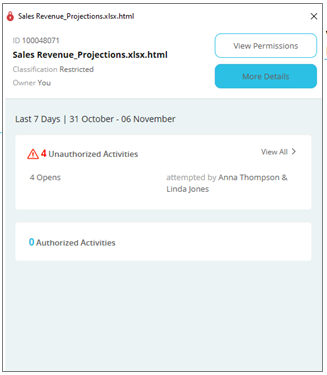
Click View Permissions to view the permitted users and their permissions on the file.
Click More Details to view details about the file, such as the complete list of activities performed on it by all users:
For other users
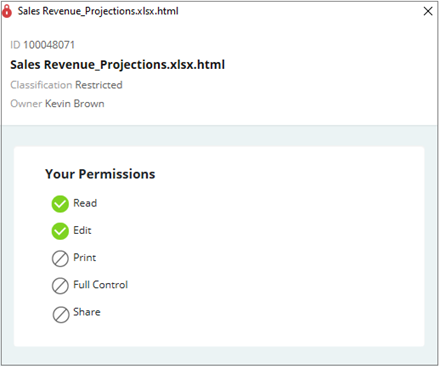
For authorized users, permissions and file details are displayed.
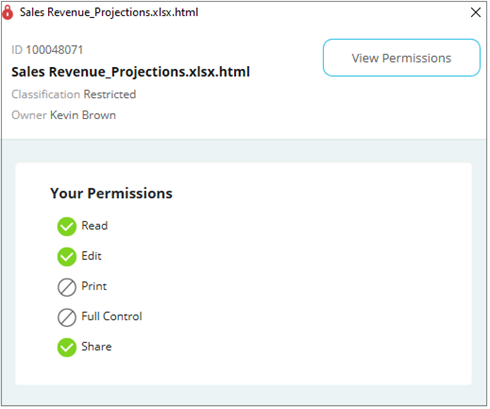
For authorized users with the Share permission, a View Permissions button is additionally displayed to view or change permissions.
For unauthorized users, a Request access button is displayed to request access directly from the Owner.
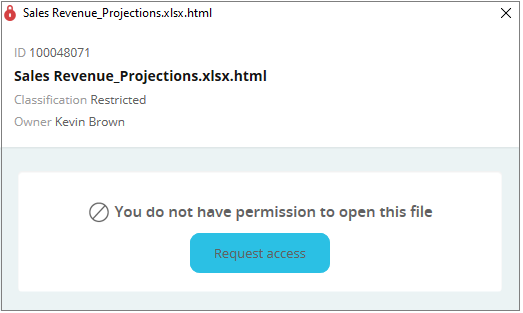
See Requesting Access for more details.